A private vault for your family
Everything your family would need someday.
Passwords, documents, notes and video messages, kept in a vault you build for the people you love. It's encrypted on your phone and never sent to us.
Free to try$7.99 once for everythingNo account needed

What SecureKeep is
Most households have one person who knows where everything is. Which bank holds the mortgage. Where the will is. How to get into the phone. SecureKeep is where you write it down.
SecureKeep is a local-only vault app for iOS and Android that holds the passwords, documents, notes, and recorded messages your family would need if something happened to you. Everything is encrypted on your phone with AES-256-GCM, and your master password never leaves the device. There's no account to create, no server holding your data, and no subscription. It's free to download, and one $7.99 purchase unlocks everything permanently.
$70B+
sits unclaimed in US state custody, much of it belonging to families who never knew it existed.
Source: National Association of Unclaimed Property AdministratorsYour privacy is the product
We couldn't read it if we tried.
That note on the rightbelow is what you typed. Keep watching: this is what it becomes on your phone, and it's all anyone without your master password would ever see. Us included.
Safe combination
A note titled 'Safe combination'. Its text is shown as typed, then as the encrypted characters stored on the phone.
- AES-256-GCMThe standard behind HTTPS and most banking apps.
- Your key onlyMade from your master password.
- No server of oursWe never receive your vault.
A password manager keeps logins. This keeps everything around them.
Four things people set it up for. Pick one to see it on the phone.
-
FreeFree
One vault and ten items, no card needed. When you want one for everyone, $7.99 unlocks as many as you like, each with its own master password.
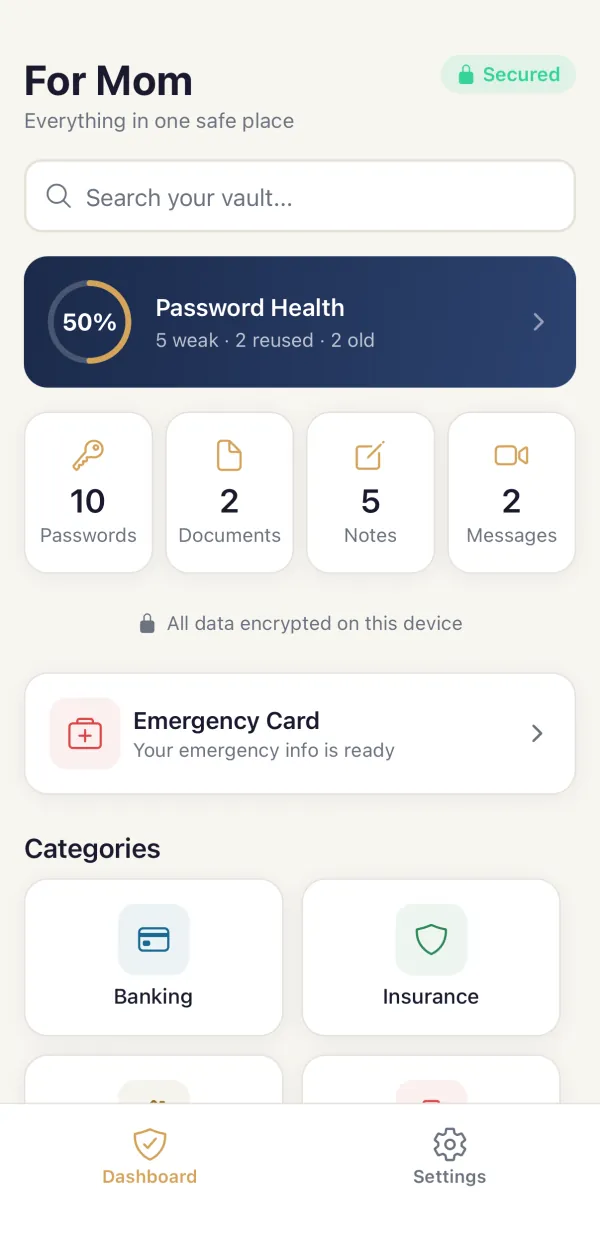
-
$7.99 unlock$7.99 unlock
Record a video or audio note they can play whenever they need it. It's encrypted as soon as you save it.
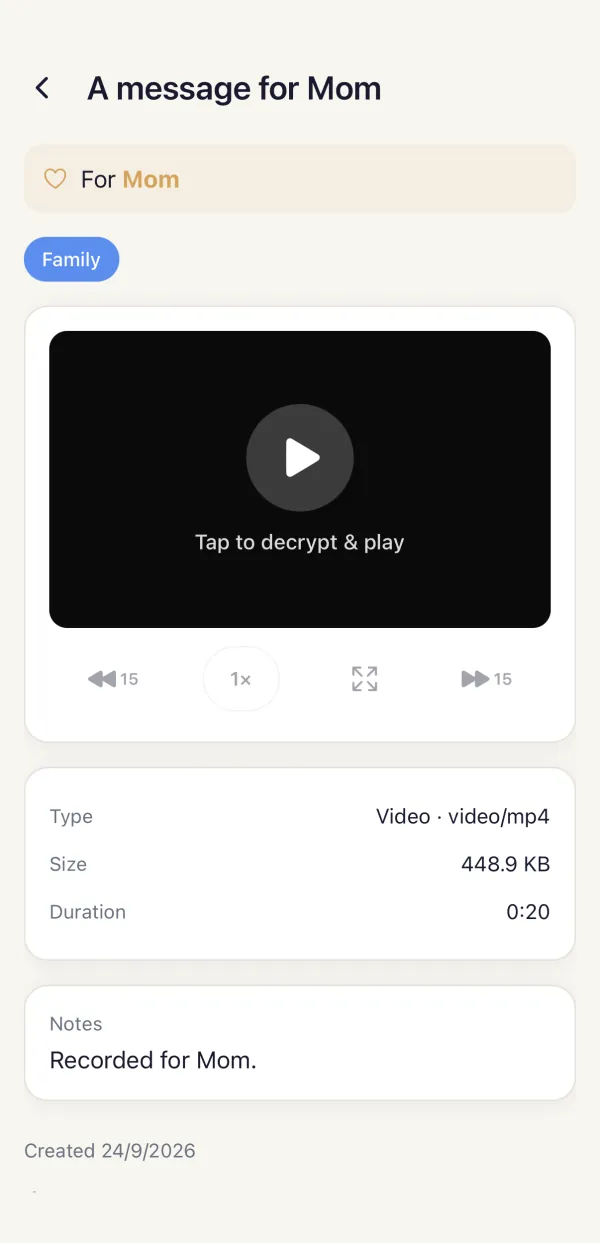
-
FreeFree
Allergies, medications, contacts and insurance on one card. Share it as a PDF or an image for the fridge or the glovebox.
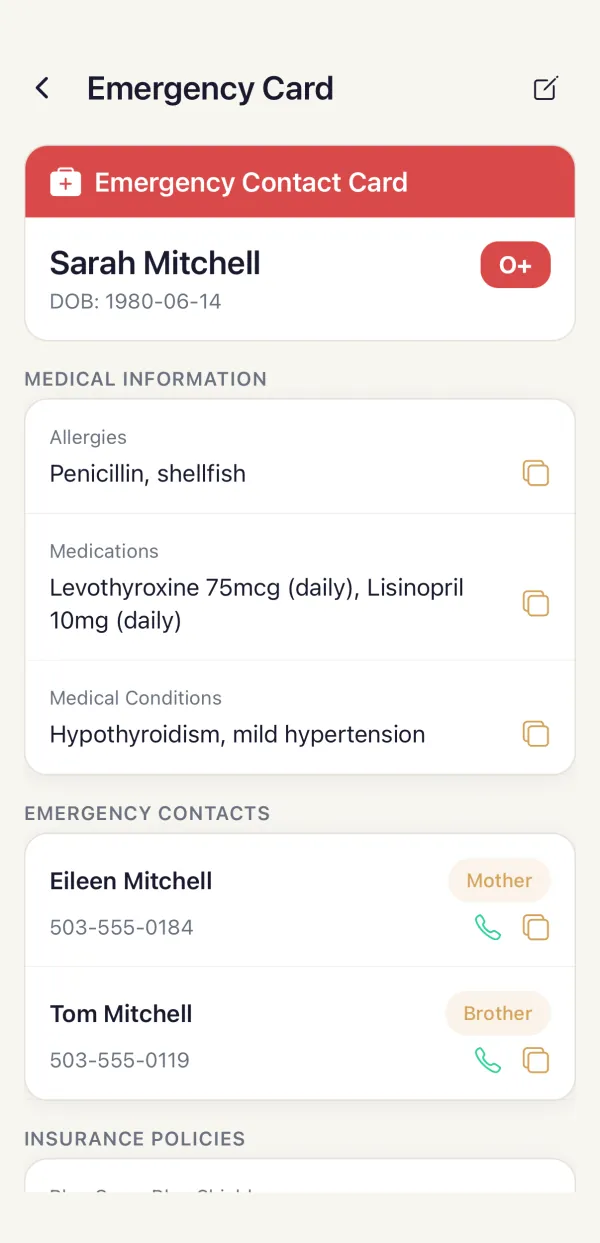
-
$7.99 unlock$7.99 unlock
Import one CSV from Chrome, Apple Passwords, LastPass, Bitwarden, 1Password or Dashlane. Duplicates are caught for you.
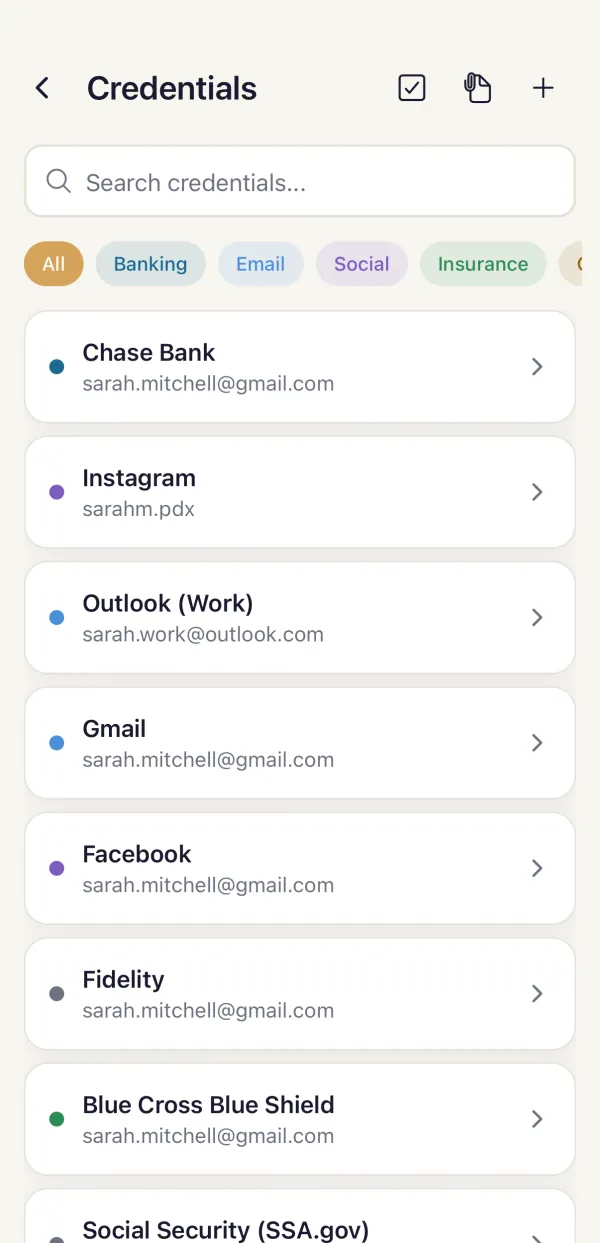
And nine more things it does
Password health, a generator, notes, documents, backups and a few kinds of lock.
Show all nineHide the nine
Password health
See which passwords are weak, reused or old, with one score for the whole vault.
Password generator
Random passwords from 8 to 64 characters, made by a cryptographic generator.
Notes
Where the safe is, what the will says, the wishes you've never written down.
Documents
The will, the deed, insurance cards and IDs, kept as files in the vault.
Encrypted backup
A backup file locked with its own passphrase. Keep it wherever you choose.
Biometric unlock
Face ID or fingerprint to get in fast. Your master password is always the fallback.
Face-down lock
Put your phone face down and the vault locks.
Auto-lock
The vault locks itself after the timeout you choose.
Privacy screen
Covers the vault when you switch away from the app.
Set up in about six minutes.
Nothing you type is sent to us. The vault lives on your phone and opens with your password or your face.
-
Name a vault for someone
For Mom, for your wife, for the kids. Then choose a master password. If it's forgotten, nobody can recover it, us included, so write it down somewhere safe.
-
Add what they'd need
Passwords, documents, notes, messages and an emergency card, sorted by category. Add more whenever you think of something.
-
Hand it over yourself
Export an encrypted file and give it to them the way you'd share any other file. It never passes through us.
In a minute or less
Three short films on what SecureKeep is for, the card that could help in an emergency, and why it costs one price.
Pay once. Yours forever.
No subscription, no ads, no account. Try it free, and unlock everything with one purchase when it's earned it.
Free
$0
- One vault and up to 10 passwords, documents and notes
- Emergency card, backup and restore
- Biometric unlock, password health and the generator
- Auto-lock, face-down lock and privacy screen
- Viewing, editing and exporting are never locked
Unlock everything
$7.99 once
- Everything in Free
- Unlimited vaults and items
- Video and audio messages
- Import passwords from a CSV
- Paid once. No subscription, no ads

"If I were gone tomorrow, how would my spouse find the bank accounts and the passwords, or know where the investments actually are? How would I leave a message for my child, or for my parents?"
KCH Labs is one person. I build SecureKeep, and when you write to support, I'm the one who reads it and writes back.
Heston Dsouza, founderRead the full story
What happens if I forget my master password?
There's no password reset. If you forget your master password, nobody can open your vault, including us. Write it down and keep it somewhere safe. That's by design: if we can't get in, neither can anyone else. Keep that note apart from your phone.
Is my data backed up to the cloud?
Not by SecureKeep. The app doesn't upload your vault anywhere. On iPhone, if iCloud Backup is on, your phone's own backup includes an encrypted copy of the vault. Apple can't open it; only your master password can. To protect your vault, make encrypted SecureKeep backups with a separate passphrase and store them wherever you choose.
How much does SecureKeep cost?
Free to download, with your first vault and 10 items included. One $7.99 purchase unlocks everything, forever. No subscriptions, no ads, no hidden fees.
What if I lose my phone?
Make a SecureKeep backup with the built-in encrypted backup feature: it's the supported way to restore your vault on a new phone. An iPhone backup may include an encrypted copy, but we don't rely on it for recovery.
Write it down before anyone needs it.


Free to try. $7.99 once for everything.